


Sean University: Email it like you e-nailed it!
Thursday, November 10, 2011
Close your eyes and imagine what it would be like if you needed to take out a piece of paper and dip a feather in ink every time you had to send someone a work-related message. It’s painful to think about, isn’t it? Well then stop. You don’t have to worry about that ever happening. Because there are computers now! And, more importantly, email!
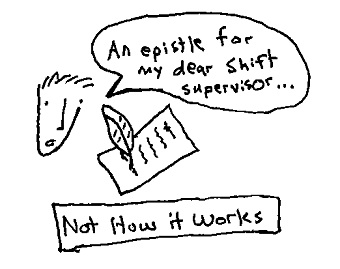
But, just because email is easy, doesn’t mean you can give all your employees email addresses and say “go nuts.” No, you need to set some guidelines. And here at the Sean Adams University of Business Management Development Leadership, we have just the thing to get you started: 5 quick tips to keep your email system – and, in turn, your business – running efficiently.
1. Don’t install a spam filter on your company’s email server. This may seem like bad advice, but here’s our reasoning: a spam filter will block out those emails that say, “Forward this to X amount of people or bad thing Y will happen.” Sure, it’s probably just internet shenanigans, but what if, just once, the sender is a tech guru who can track your sent items and also a practitioner of the dark arts? When it comes to your business, you want to play it safe.
2. Every email that your employees send from their work accounts represents your company, so make sure they set-up their email signature correctly. Each signature should formatted exactly the same. There should always be:
- the employee’s name;
- the employee’s contact information;
- the company name;
- and then a quick little tag-on that implies your company is fun and cool – something like “sent from my work station, which is a motorcycle,” or “please ignore any typos above. It’s hard to write emails with these celebrities always bursting in and challenging us to Super Soaker fights.”
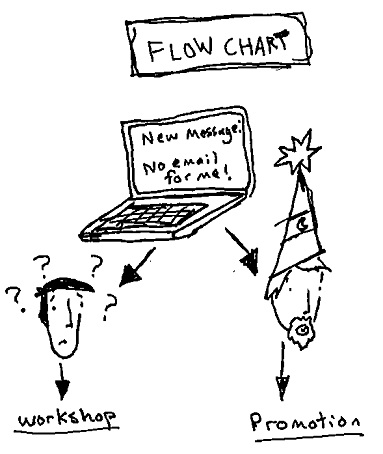
3. Require your employees to email you if their email stops working. This way, you won’t have to deal with a bunch of people complaining about their email all the time. Or, if you do receive a message from someone whose email “isn’t working,” you’ll know that he or she either a) doesn’t understand email (and needs to be signed up for a workshop), or b) is a wizard (and needs to be promoted).
4. Make sure all employees understand the concept of TL,DR. TL, DR is internet lingo for “too long, didn’t read” (or “tension lost, definitely right-handed” if you’re reading a blog about discovering your dominant hand through tug-of-war, but that’s not what we’re talking about here). Make sure your employees keep their emails short and succinct and express as much as possible using bullet points and emoticons.
5. BUT there are rare occasions where someone might need to write everything fully out in long, boring paragraphs. For these situations, we here at Sean University have put together a system we call the Cool Video Exchange Rate. After doing the research, we have discovered the following:
- putting a video of a cat doing something hilarious in the middle of your email will buy your reader’s attention for 215 more words;
- a person falling in a funny way or a kid saying something ridiculous earns you 314 words worth of attention;
- news videos auto-tuned to be pop songs get you a whopping 503 more words;
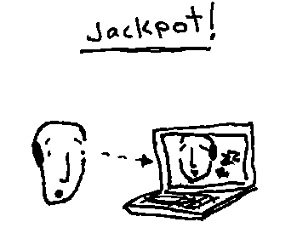
- and a video of the recipient sleeping will ensure that he or she reads the entire thing AND responds!
Please ignore any typos above. It’s hard to write lessons with these celebrities always bursting in and challenging us to Super Soaker fights.
Also, I am willing to help you craft any work in the comments. Just tell me about the recipient, the subject matter, and your company, and I’ll make beautiful, corporate words for you.
Comments
Comments are closed.